
What Does It Really Cost to Run LinkedIn Outreach With ChatGPT?
Short answer: for 5,000 contacts, somewhere between $264 and $1,320 worth of compute, more agent runs than a $20 ChatGPT plan gives you in ten months, and roughly six months of waiting. The compute is the part everyone talks about. It’s also the part that matters least.
I build a LinkedIn outreach tool, so when agent mode shipped and people started telling me you can just point ChatGPT at the browser now, I took it seriously enough to cost it properly instead of getting defensive. I spent a day on the spreadsheet. Here’s all of it, including the parts where ChatGPT wins.
One thing to be clear about up front, because it’s the whole reason the comparison is interesting. Reachy AI is an AI agent. So this isn’t agent versus no agent. It’s a question about which agent: a general purpose chatbot working through screenshots of a virtual browser in someone else’s datacenter, or something built for this one job and running on your own machine.
The campaign I modelled
Same sequence for every contact. Open the profile and decide if they fit. Send the connection request. Come back later and check if it was accepted. If it was, send a message, then two follow-ups.
I used my own operating numbers, not benchmarks: 40% acceptance, 15% of connections reply, and half of those replies land on the first message. Anyone who answers drops out of the sequence.
For 500 contacts that’s 200 connections and 30 replies, and it takes 2,061 browser operations to get there. 500 profile reads, 500 connection requests, 500 status checks, then 200 first messages, 185 first follow-ups and 176 second follow-ups.
What does one browser operation actually cost?
This is the part nobody models, and it’s where the whole thing falls over.
ChatGPT doesn’t “send a message”. Agent mode works the way OpenAI describes it: it takes a screenshot of its virtual browser window to see the page, works out where to click, clicks, takes another screenshot to check the click landed, reads the page text, and carries the whole conversation forward into the next step. Every screenshot is roughly 1,500 tokens. Every page read is a couple of thousand more. The accumulated context gets re-sent on every turn.
I budgeted 26,500 input tokens and 600 output tokens per operation, with prompt caching doing real work at 70% cache hits. That comes out around $0.013 per operation on a small model, $0.026 on a mid-tier one, $0.064 on a frontier one.
Sounds like nothing. Multiply it by 2,061. Then by ten.
| Contacts | Browser operations | Compute at API rates | Virtual browser running |
|---|---|---|---|
| 500 | 2,061 | $26 to $132 | 8.6 hours |
| 1,500 | 6,183 | $79 to $396 | 25.8 hours |
| 5,000 | 20,610 | $264 to $1,320 | 85.9 hours |
Worth saying clearly: you don’t pay ChatGPT per token, so you wouldn’t literally get a bill for $528. The API column is there to show how much compute this actually is, because what you do pay is a subscription with a hard ceiling on it, and that ceiling is the real number.
The ceiling nobody reads before starting
Agent mode isn’t metered in tokens. It’s metered in agent messages, and the allowance is small: 40 a month on Plus, 400 a month on Pro. They don’t roll over.
An agent message isn’t one click, it’s one task run, and a run keeps going until it finishes or loses the thread. Call it 50 browser operations per run, which is generous for a session working off screenshots of an infinite scroll feed. The 5,000 contact campaign needs about 412 runs.
| Plan | Price | Agent messages | 5,000 contacts needs |
|---|---|---|---|
| Plus | $20 a month | 40 a month | about 10 months of allowance |
| Pro | $200 a month | 400 a month | fits, at $200 a month for six months |
On Plus you don’t finish. You don’t even finish 500 contacts comfortably, because 2,061 operations is roughly 41 runs and you get 40. On Pro it works, and the campaign costs about $1,200 in subscription across the six months LinkedIn is going to make you wait anyway.
Then I found the number that actually matters
LinkedIn caps connection invites at roughly 200 a week. It varies by account. Age, Premium status, how established you are and how clean your recent history looks all move it, and a new account gets nowhere near 200. But 200 is fair for a settled account and it’s what I plan against.
It isn’t a soft cap, and it doesn’t care what’s sending the invites.
| Contacts | Time to send the invites |
|---|---|
| 500 | 2.5 weeks |
| 1,500 | 7.5 weeks |
| 5,000 | 25 weeks |
Twenty five weeks. I’d spent a day optimising cost per operation, and the real constraint was a rate limit I already knew about. The full picture is in LinkedIn connection request limits in 2026.
The line item the token math missed completely
Here’s the one that changed my mind about the whole exercise.
Agent mode does not run on your laptop. It runs in a virtual browser on OpenAI’s infrastructure, and when it needs you to log in somewhere sensitive it hands you the controls and asks you to sign in there. So the way this works in practice is that you type your LinkedIn password into a browser sitting in a datacenter, and then LinkedIn watches your account do 20,610 things from that address.
A login from a datacenter IP is the single most reliable way to get a LinkedIn account restricted. Not because automation is detected, but because the location and the fingerprint stop matching the human whose account it is. That risk isn’t on the spreadsheet, and it’s the only cost in this article you can’t recover from by paying more. I wrote up the mechanics in cloud versus local LinkedIn automation and how not to get banned on LinkedIn.
The only lever that moves the timeline
There’s one way past a per account limit, and it’s to not use one account. Most people doing this seriously are small agencies running outreach for several clients, each client with their own real LinkedIn account. Across three accounts, 5,000 contacts drops from 25 weeks to about 8. Across five, it’s 5.
Nothing else in this whole analysis moves the number that much. Not the model, not the caching, not the token budget.
It’s also the thing that’s genuinely awkward for a chatbot with one virtual browser. Each account needs its own isolated profile, its own cookie jar, its own session that never leaks into another, and its own pacing. You’re asking one shared browser to hold five separate identities without ever crossing them, and the failure mode isn’t a wasted API call, it’s a client’s account getting restricted. I wouldn’t want to debug that from screenshots. Purpose built tooling handles it because isolation is a decision you make once in the architecture, not something a chat session has to remember every turn. Here’s how that works across several accounts.
How much of the work actually needs a frontier model?
Once I had the operation counts I could ask a better question. How much of this needs judgment, and how much is just clicking?
Two things need judgment. Scoring a profile against your ICP, and writing a message that doesn’t read like a merge field. Everything else is navigate, click, wait, verify.
Scoring doesn’t need a screenshot. Once the profile text exists it’s about 800 tokens in and 150 out, and a mid-tier model handles it. Message craft happens once per campaign plus light personalisation.
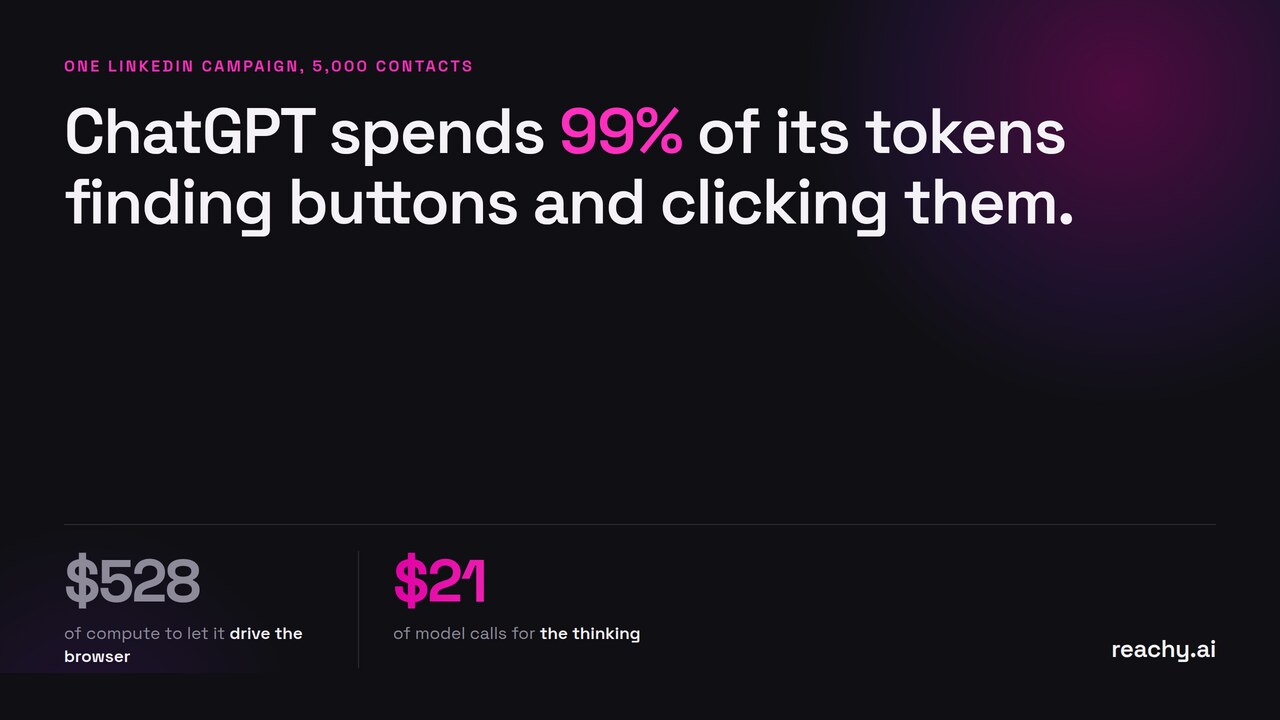
Measured in tokens instead of dollars, at 5,000 contacts the full ChatGPT run burns 558.5 million tokens. The judgment work is 5.44 million. That’s 1%.
99% of the token spend is a machine finding and clicking buttons. 1% is the part where intelligence changes the outcome.
And the 1% is cheap. Scoring 5,000 profiles on a mid-tier model is about $15. Crafting the sequence on a frontier model is about $5. Around $21 of model calls for the entire campaign, against $528 worth of compute to have it drive the browser too.
Those are the mid-tier and frontier prices I used above, across a 5,000 contact campaign. Run one account at safe pacing instead, which is roughly 800 profiles scored and 900 messages written a month, and the same split comes in under $2 a month.
The other 99% is a solved problem that costs about $59 a month. That isn’t a coincidence. The clicking, the pacing, the session isolation, the retry logic, the invite accounting. None of it is interesting, all of it has been built, and none of it is worth frontier model prices.
Where ChatGPT genuinely wins
Under about a hundred contacts, for something one off and strange, agent mode is excellent and I’d use it myself. No second subscription, no setup, and it handles “look at their last three posts and reference the one about hiring” better than any sequencer, because it’s actually reading the page instead of filling a field.
It’s also the only option when your qualification logic is truly bespoke. “Find agencies whose careers page mentions remote and whose founder posted about churn this quarter” isn’t a filter any outreach tool has. ChatGPT can just do that.
The break comes when the same operation runs two thousand times across five identities.
What I’d actually build
Expensive general model for the thinking. Something cheap and deterministic for the repetition, running where your account already lives. About $40 a month for the 99%, and around $21 of model calls for the 1% where it genuinely matters.
Paying frontier model prices per click, so a language model can decide where the Connect button is, means paying a lot for something a CSS selector solves.
One more thing I didn’t expect. Cost per reply barely moves between the options. Everything lands between $1 and $7. If you’re choosing on cost per reply, you’re optimising the wrong variable. The three things that actually move the outcome are how many accounts you can run in parallel, whether the messages are any good, and whether your account survives the campaign.
Obvious bias disclosure: I build Reachy AI, which is the $59 a month side of that argument, so weigh this accordingly. I ran the numbers because I wanted to know whether to shut my own thing down. The honest answer was that the 1% is the part I could never have built, and the 99% is the part a chatbot in a datacenter shouldn’t be doing.
If you want the split I described, that’s what Reachy AI is: an agent for LinkedIn outreach, your own API key for the judgment, a local desktop app for the clicking. Download it and run the 14-day trial, or check the pricing first.